
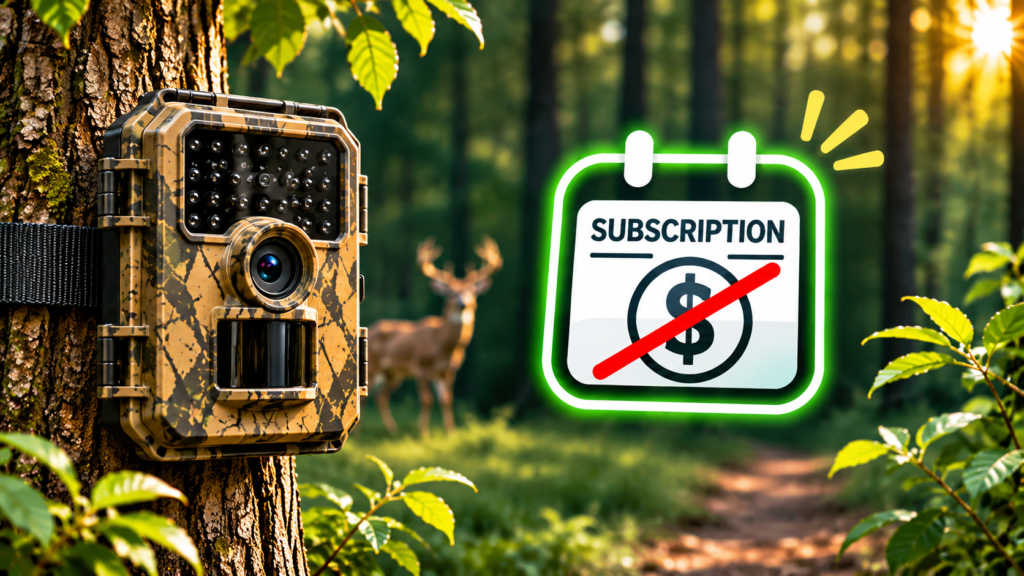
Trail Camera With No Monthly Fee: 4 Ways to Skip the Subscription
Disclosure: this article contains affiliate links. If you buy through them, we may earn a commission at no extra cost to you. Prices were checked on GardePro’s US store in November 2026 and change often, especially around Black Friday.
The usual trail camera story goes like this. You buy a cellular camera because the box price looks great. Then you set it up and find out the photos only reach your phone if you pay for a data plan, every month, for every camera. After a year or two, the plan has cost more than the camera.
The good news is that you can avoid the monthly fee completely. The catch is that each no-fee option makes a trade-off, usually in distance. This guide explains the four real ways to run a trail camera without a subscription, how far each one actually reaches, what you give up, and which setup makes sense for your property.
What a Monthly Plan Really Costs
Before looking at alternatives, it helps to see the number you are trying to avoid. Here is GardePro’s own cellular data plan pricing for the first camera on an account. Additional cameras are charged at a lower rate.
| Plan | Allowance per month | Monthly | Paid yearly |
|---|---|---|---|
| Basic | 500 photos or 5,000 s video preview | $7 | $67.20 |
| Standard | 1,500 photos or 15,000 s video preview | $10 | $96 |
| Premium | Unlimited photos or video preview | $15 | $144 |
Those prices are reasonable compared with the cellular market. Still, they add up over the life of a camera:
Run three or four cameras and the recurring bill can reach several hundred dollars a year. That is why so many owners start searching for a trail camera with no subscription once the free trial runs out. GardePro gives every account one free month on its first plan, which is long enough to find out whether you really need cellular at all.
The 4 Ways to Run a Trail Camera Without a Subscription
Every option below avoids a monthly fee. What changes is how the photos get from the camera to you, and therefore how far away the camera can be.
1. SD card only (non-cellular)
This is the classic trail camera. It records to an SD card, and you walk out, pull the card and look at it on a computer or phone. There is no fee because there is no connection at all.
Do not dismiss it. Non-cellular cameras are cheaper, use far less power, and often take better pictures for the money because nothing is spent on a modem. GardePro’s A3S currently sells from $71.99 and the A60, with a Sony STARVIS sensor and 4K video, from $99.99. In TrailCamPro’s independent test of the GardePro T5CF Pro, the camera scored 90 out of 100, with a 0.5-second photo trigger, about 100 ft of detection range, and an estimated 27.5 months of battery life on lithium AAs at 70 photos a day.
Best for: scouting where you visit regularly anyway, and anyone who wants the longest battery life for the least money.
2. Direct Wi-Fi (or Bluetooth) to your phone
These cameras broadcast their own Wi-Fi network. When you are near the camera, your phone connects to it, and you browse and download photos in an app without opening the camera or touching the SD card. GardePro’s E8 2.0 Pro is a typical example, with a rated Wi-Fi range of 165 ft using dual antennas.
The important detail is that you still have to go to the camera. It does not send pictures to your phone while you are at work. It saves you from climbing a tree and keeps your scent away from the stand, but it is not remote monitoring. At least one GardePro customer also noted that in practice he needed to be within roughly 85 to 100 ft to view images, so plan on less than the rated figure.
Best for: hunters who want to check a camera from the truck or a nearby trail without disturbing the spot.
3. Home Wi-Fi cameras
A home Wi-Fi trail camera joins your house network like a doorbell camera does. Because it reaches the internet through your router, it can push motion alerts and photos to your phone anywhere in the world, with no data plan. GardePro’s E8 3.0 Pro 4K Home Wi-Fi model is sold on exactly this pitch: motion alerts, cloud images, HD photo requests and remote management over your home Wi-Fi, with no monthly fee.
The limit is your router’s reach. A typical home Wi-Fi signal covers the yard, the driveway and maybe a detached garage. It will not reach a food plot across the field. A mesh node or outdoor access point can stretch it, but that adds cost and complexity.
Best for: backyard wildlife, driveways, gates and sheds within sight of the house.
4. Long-range wireless with a hub
This is the newest option and the one that genuinely replaces cellular for many rural owners. The cameras do not use Wi-Fi or a cell network. They send images by a private long-range radio link to a hub. The hub plugs into your home router with an Ethernet cable and forwards everything to the app.
GardePro’s version is the Link 1.0. The brand rates it at up to 3,000 ft (about 1 km) in open, line-of-sight conditions and about 1,600 ft in typical use. One hub supports up to 16 cameras. Since mid-May 2026, GardePro has made its Plus Plan free for Link 1.0. That plan includes Live View, HD photo and video requests, video preview uploads, 60-day cloud storage, push notifications and camera sharing, and existing subscribers were refunded pro rata. At the time of writing, the Link 1.0 was on sale from $224.99 (regular $299.99), though the exact price depends on how many cameras are in the bundle.
Owner feedback backs up the concept. One customer review on GardePro’s store reports reliable connections at 1,145 to 1,450 ft through wooded terrain, which sits in line with the “typical” figure rather than the open-ground maximum.
Best for: farms, acreage and woods near home, especially if you want several cameras without several bills.
Side-by-Side: Which No-Fee Option Does What
| Feature | SD only | Direct Wi-Fi | Home Wi-Fi | Long-range hub |
|---|---|---|---|---|
| Photos reach you while away | No | No | Yes | Yes |
| Needs home internet | No | No | Yes | Yes (wired to router) |
| Typical distance from house | Unlimited | Unlimited (you walk up) | Router range | ~1,600 ft typical |
| Live view | No | In range only | Model dependent | Yes |
| Upfront cost | Lowest | Low | Low to mid | Highest (hub + cameras) |
| Example GardePro model | A3S, A60 | E8 2.0 Pro, A80 Pro | E8 3.0 Pro 4K Home Wi-Fi | Link 1.0 |
The Fine Print Nobody Mentions
“No monthly fee” is true for all four options, but a few details are worth knowing before you buy.
- Remote options need power at the house end. The Link hub must be wired to your router with DHCP enabled, and the cameras cannot connect to Wi-Fi on their own. If your internet goes down, remote viewing stops, although the cameras keep recording to their SD cards.
- What reaches your phone is often a preview. On the Link system, photos arrive at lower resolution and you request the HD version when you want it. The full-resolution originals stay on the camera’s SD card.
- Email alerts are basic. On Link 1.0, email alerts are off by default, cover photos only (not video), and are batched every five minutes with up to five photos each. Push notifications in the app are the faster route.
- Range figures are best case. Every range number on a box is measured in favorable conditions. Expect less through thick timber, over a ridge, or through the walls of a metal building.
- Theft is a bigger risk than fees. A camera that costs nothing per month still costs money to replace. Mount cameras above head height and angled down, and use a steel security box with a cable lock on anything visible from a road or public trail. GardePro sells security boxes for several of its models.
- “Free” applies to eligible devices. GardePro’s notice says the Link Plus Plan is free for eligible users and that devices upgrade automatically. If you buy second-hand or from a third-party seller, confirm the device qualifies.
When Paying for Cellular Still Makes Sense
A no-fee setup is not always the right answer. Cellular wins clearly in one situation: the camera is far from any building you control. Think of a hunting lease two hours away, public land, or a remote cabin with no internet. No hub or Wi-Fi network will reach it, and cellular is the only way to get photos without driving out.
If that is you, keep the cost under control:
- Use the free month to measure your volume. Watch how many photos a camera sends in a typical week before picking a plan. Many cameras fit comfortably in Basic.
- Pay yearly. GardePro’s annual plans work out at roughly 20% less than paying monthly, and they include bonus live-stream minutes and HD requests.
- Stack cameras on one account. Additional cameras are cheaper than the first, and all cameras on a plan share one data balance.
- Turn off what you do not need. Video previews and live streaming use data and battery quickly. Photos only is the cheapest mode.
Many owners end up with a mix: a Link system or home Wi-Fi camera around the house, and one cellular camera on the far property. Our cellular vs Wi-Fi trail camera guide walks through that choice in detail.
Setup Tips to Get the Most From a No-Fee System
The difference between a no-fee system that “kind of works” and one you forget about comes down to installation.
- Give the hub height. For long-range systems, line of sight matters more than anything else. Place the hub high, near a window facing the cameras or in an outbuilding with the router extended to it, rather than in a basement.
- Test before you strap it down. Walk each camera to its spot, check signal strength in the app, and only then mount it. Moving a camera 20 ft to clear a tree trunk can make a big difference.
- Add solar to remote-capable cameras. Anything that transmits uses more power than an SD-only camera. GardePro’s SP300 (3.5W) starts at $39, and the 10W SP1000 is the one GardePro recommends for the Link 1.0 and for winter use.
- Use a decent SD card. Because the originals live on the card, a cheap card that fails means lost footage. The Link bundle includes a 64GB industrial-grade card.
- Angle cameras along trails, not across them. An animal walking towards the camera stays in the detection zone longer than one crossing it, which means fewer empty frames.
Which No-Fee GardePro Camera Should You Buy?
| Your situation | Pick |
|---|---|
| Lowest cost, you visit the camera anyway | A3S or A60 (SD only) |
| Hunting stand, check photos from nearby without opening the camera | E8 2.0 Pro or A80 Pro (direct Wi-Fi) |
| Backyard, driveway or gate, alerts to your phone | E8 3.0 Pro 4K Home Wi-Fi |
| Acreage or farm, several cameras, live view, zero monthly cost | Link 1.0 with SP1000 solar |
| Remote land with no internet nearby | Cellular (X66 series) on a yearly Basic plan |
For a closer look at how these models perform in testing and what owners complain about, see our GardePro trail camera review.
How to Get 15% Off GardePro
Buying from GardePro’s own store also gets you the brand’s shop-exclusive 2-year warranty, a 30-day money-back guarantee, and free shipping on orders over $50.
- Go to the GardePro store through the link below.
- Pick your camera type using the table above. Check the bundle options, because solar panels and SD cards are often cheaper bundled.
- Enter HELLO15 at checkout for 15% off. If an item is already on a deep sale, compare the totals with and without the code, since some promotions may not stack.
Shop GardePro — 15% off with code HELLO15
Sources: GardePro data plans page, Link 1.0 product page and Plus Plan announcement; TrailCamPro, GardePro T5CF Pro review; Smart Home Explorer, GardePro E8 2.0 overview; GardePro customer reviews on Loox. Range and pricing figures are the manufacturer’s unless stated otherwise.