
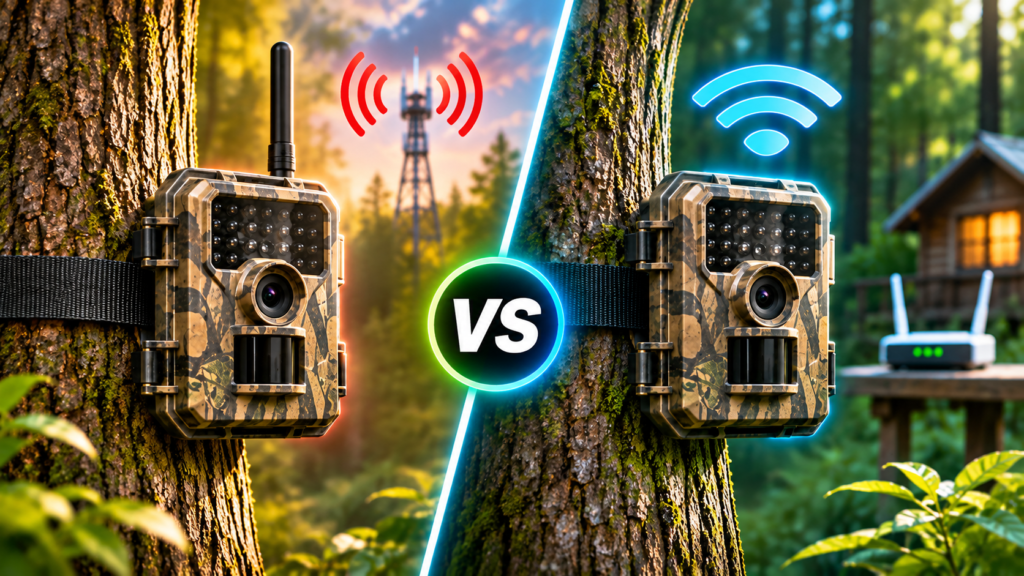
Cellular vs WiFi Trail Camera: Which Should You Buy?
Disclosure: this article contains affiliate links. If you buy through them, we may earn a commission at no extra cost to you. Prices were checked on GardePro’s US store in November 2026.
The short answer: if the camera will be far from any building with internet, you need cellular. If it will be on your own property near the house, Wi-Fi, or better still a long-range wireless hub, does the same job with no monthly bill.
That rule covers most buyers. The details still matter, because “Wi-Fi trail camera” means three different things, and each one behaves very differently. Cellular cameras also have costs and battery quirks the box does not mention. This guide explains how each type actually works, what it costs over three years, and which one fits hunting land, a farm or a backyard.
How Each Type Gets Photos to Your Phone
The whole debate comes down to the path a photo takes from the camera to you. Here are the four paths you will find on the market:
Cellular
A cellular trail camera has a SIM card and a 4G LTE modem, like a basic phone. When it takes a photo, it uploads it over the mobile network to the maker’s cloud, which pushes it to your app. It works anywhere there is a usable signal, and it requires a data plan.
Direct Wi-Fi
Most cameras sold as “Wi-Fi trail cameras” fall into this group. The camera creates its own small Wi-Fi network, and your phone connects to it when you are close by. It saves you opening the camera and pulling the SD card, but it does not send photos while you are away. This is the most common misunderstanding in the whole category.
Home Wi-Fi
These cameras join your house network, like a doorbell camera. They can send alerts and photos to you anywhere, with no data plan, as long as the camera sits within reach of your router.
Long-range wireless hub
A newer approach that sits between Wi-Fi and cellular. The cameras talk to a hub over a private long-range radio link, and the hub plugs into your router. GardePro’s Link 1.0 is rated at up to 3,000 ft in the open and about 1,600 ft in typical use, with up to 16 cameras per hub and no monthly fee.
So the real question is not “cellular or Wi-Fi”. It is “how far is the camera from an internet connection I control?”
Cost Over Three Years
Upfront prices are close: GardePro’s cellular X66 Pro was listed at $59.99 and its E8 2.0 Wi-Fi models typically sell for around $69 to $89. The difference is what happens after you buy. Here is a realistic three-camera setup using GardePro’s yearly data plan prices (the first camera costs more; extra cameras are cheaper).
Here is how those totals break down. The first camera on GardePro’s yearly Standard plan costs $96 and each additional camera $67.20, for $230.40 a year. On Basic, the figures are $67.20 plus $48 per extra camera, for $163.20 a year. Over three years, that is roughly $490 to $690 in plan fees alone, before any add-ons. GardePro’s monthly plans cost about 25% more than paying yearly.
A long-range hub system costs more upfront. GardePro’s Link 1.0 bundles were on sale from $224.99 at the time of writing. Even so, on property near home it usually pays for itself compared with cellular within the first year or two. Our guide to trail cameras with no monthly fee covers that maths in more detail.
Range and Coverage
| Type | How far from you / your house | What limits it |
|---|---|---|
| Cellular | Unlimited, wherever there is signal | Carrier coverage at the exact camera spot |
| Direct Wi-Fi | You must be within ~100–165 ft | You have to go there |
| Home Wi-Fi | Within your router’s reach | Walls, distance, router strength |
| Long-range hub | ~1,600 ft typical, up to 3,000 ft open | Trees, hills, line of sight to the hub |
For cellular, the signal at your phone is not the signal at the camera. A camera strapped low on a tree in a creek bottom can sit in a dead spot even when your phone shows full bars on the road. That is why multi-carrier SIMs matter. GardePro’s X66 Pro uses a multi-IMSI SIM that picks the strongest of AT&T, Verizon and T-Mobile in North America, which gives you a better chance at fringe locations than a single-carrier camera.
For Wi-Fi, expect less than the box says. One GardePro E8 2.0 Pro owner said he needed to be within about 85 to 100 ft to view images, against a rated 165 ft. With a long-range hub, the most useful owner report we found described reliable links at 1,145 to 1,450 ft through wooded ground.
Battery Life
Transmitting costs power, so any camera that sends photos will drain batteries faster than an SD-only model. Cellular is usually the hungriest, for two reasons. The modem has to wake up and register on the network for each upload, and a weak signal makes it work harder. GardePro argues that cellular cameras “can drain quickly while searching for service”. That is the brand’s claim, but it matches how LTE modems behave.
For reference, GardePro rates the X66 3.0 Pro’s 7,800mAh battery at about two months with 15 day and 15 night photos and real-time upload. By comparison, TrailCamPro estimated that GardePro’s T5CF Pro, an SD-only camera on lithium AAs, would run around 27.5 months at a similar photo rate. Live streaming on cellular cameras drains the battery fast, and GardePro says so on its product page.
The practical fix for any transmitting camera is solar. GardePro recommends its 10W SP1000 panel for cellular and Link cameras, especially in winter. The 3.5W SP300 starts at $39.
Image Quality: What Actually Reaches Your Phone
Connection type does not change the camera’s sensor. But it does change what you see without visiting the camera.
- Cellular cameras upload compressed previews to save data. Full-resolution photos and video clips are separate requests. On GardePro’s plans, HD photos and HD video come from yearly bonuses or paid add-ons ($5 for 50 HD photos, $5 for 200 seconds of HD video).
- Long-range hub systems work similarly. The Link 1.0 sends lower-resolution versions to the app, and you request HD when you want it, at no cost.
- Direct Wi-Fi cameras let you download the original files when you are in range.
- With every type, the originals stay on the SD card, so a good card still matters.
If you mainly want to know whether a buck is using a trail, previews are enough. If you want to judge antler size from your sofa, budget for HD requests on cellular, or choose a hub system that includes them free.
Which Type Fits Your Use
Hunting land away from home
Cellular is the only option that sends photos to you from a lease or public land. It lets you track patterns without walking in and leaving scent. Check your state rules before relying on it, though. Several Western states, including Arizona and Utah, restrict trail camera use for hunting, and some others regulate cameras that transmit images during hunting season.
Your own farm or acreage
This is where the long-range hub shines. If your cameras are within a few hundred yards of a house or barn with internet, a hub system gives you remote photos and live view on several cameras with no monthly bill. Cellular works too, but you pay for each camera indefinitely.
Backyard wildlife, driveway or gate
Use home Wi-Fi. It is cheaper than cellular, needs no plan, and sends alerts wherever you are. A cellular camera is the wrong tool here. In The Gadgeteer’s backyard test of GardePro’s X66 Pro cellular camera, it often missed small animals and a dog moving close to the lens, which is not the job these cameras are tuned for.
Scouting where you visit anyway
Direct Wi-Fi or plain SD cameras are enough. You will check them on every visit, so remote upload adds cost without adding much value.
How Much Data Will a Cellular Camera Actually Use?
If you do go cellular, picking the right plan is where most of the savings are. The number of photos a camera sends depends on three things: how busy the spot is, how sensitive you set the PIR sensor, and whether you send video previews as well as photos.
- A quiet trail or field edge might trigger 10 to 20 times a day. That works out to roughly 300 to 600 photos a month, which sits around GardePro’s Basic limit of 500.
- A feeder, mineral site or busy scrape can easily trigger 50 or more times a day, which is 1,500+ a month. That pushes you into Standard or Premium, or means turning down sensitivity and using a delay between triggers.
- Swaying branches and grass in front of the lens cause empty triggers that eat your allowance. Clearing the area in front of the camera is the cheapest data saving there is.
GardePro’s free first month is the right time to measure this. Set the camera up the way you plan to run it, watch the count for two or three weeks, and only then choose a plan. On Live-series cameras, also remember that live view comes from a separate bonus allowance, not from your photo count.
Can You Mix Cellular and Wi-Fi?
Yes, and many owners end up doing exactly that. A common setup looks like this:
- A home Wi-Fi camera on the driveway or gate, for security alerts.
- A long-range hub system covering the food plots, fence lines and woods within a quarter-mile of the house.
- One or two cellular cameras on the far property or a hunting lease, on the cheapest plan that covers them.
This keeps the monthly bill limited to the cameras that genuinely need cellular. Staying within one brand also keeps setup and apps familiar. Just note that on GardePro, some app features, such as GPS tracking and live streaming on Live-series cameras, apply only to cellular models.
Common Mistakes When Choosing
- Buying a “Wi-Fi” camera expecting remote alerts. Check whether it is direct Wi-Fi or home Wi-Fi. Most are direct.
- Ignoring the plan when comparing cellular prices. A cheap cellular camera on a pricier plan can cost more over three years than an expensive one on a cheap plan. Compare total cost, not box price.
- Checking signal with your phone instead of the camera. Use the camera’s own signal indicator at the exact mounting height before committing to a spot.
- Skipping solar on transmitting cameras. Rechargeable packs and AAs both drain far faster once uploads and live view are involved.
- Paying monthly by default. On GardePro, yearly plans cost about 20% less than monthly and include bonus HD requests and live-stream minutes.
GardePro Picks for Each Type
| Type | GardePro model | Price seen (Nov 2026) | Monthly cost |
|---|---|---|---|
| Cellular | X66 3.0 Pro 4K AI | $119.99 | From $5.60 / mo (Basic, paid yearly) |
| Cellular, budget | X66 Pro | $59.99 (2-pack promo $89.99) | From $5.60 / mo (Basic, paid yearly) |
| Long-range hub | Link 1.0 | From $224.99 | $0 |
| Home Wi-Fi | E8 3.0 Pro 4K Home Wi-Fi | Check store | $0 |
| Direct Wi-Fi | E8 2.0 Pro / A80 Pro | ~$69–$89 / from $119.99 | $0 |
For test results and owner feedback on each of these models, read our full GardePro trail camera review.
How to Save 15% on GardePro
Whichever type you choose, buying direct from GardePro gets you the shop-exclusive 2-year warranty, a 30-day money-back guarantee and free shipping on orders over $50. Cellular buyers also get the first month of data free.
- Use the decision guide above to pick your camera type.
- Open the GardePro store through the link below and check bundles with solar panels and SD cards.
- Enter HELLO15 at checkout for 15% off. During Black Friday promotions, compare totals with and without the code in case a sale price does not combine with it.
Shop GardePro — 15% off with code HELLO15
Sources: GardePro data plans page, product pages (X66 Pro, X66 3.0 Pro, Link 1.0) and blog “Cellular vs. Long-Range Wireless Trail Cameras”; TrailCamPro, GardePro T5CF Pro review; The Gadgeteer, GardePro X66 Pro review; Smart Home Explorer, GardePro E8 2.0 overview; GardePro customer reviews on Loox; Outdoor Life and Bowhunting.com coverage of state trail camera regulations.